Save replies as snippets in Synapse
Save answers you send often, such as booking instructions or directions, as text or email snippets, and insert them into any message in two clicks.

Intro
A snippet is a saved message you can insert into a text or email instead of typing it again. Use them for the questions you answer every day: how to book, where to park, what to bring, opening hours. Every person on your team then gives the same, correct answer.
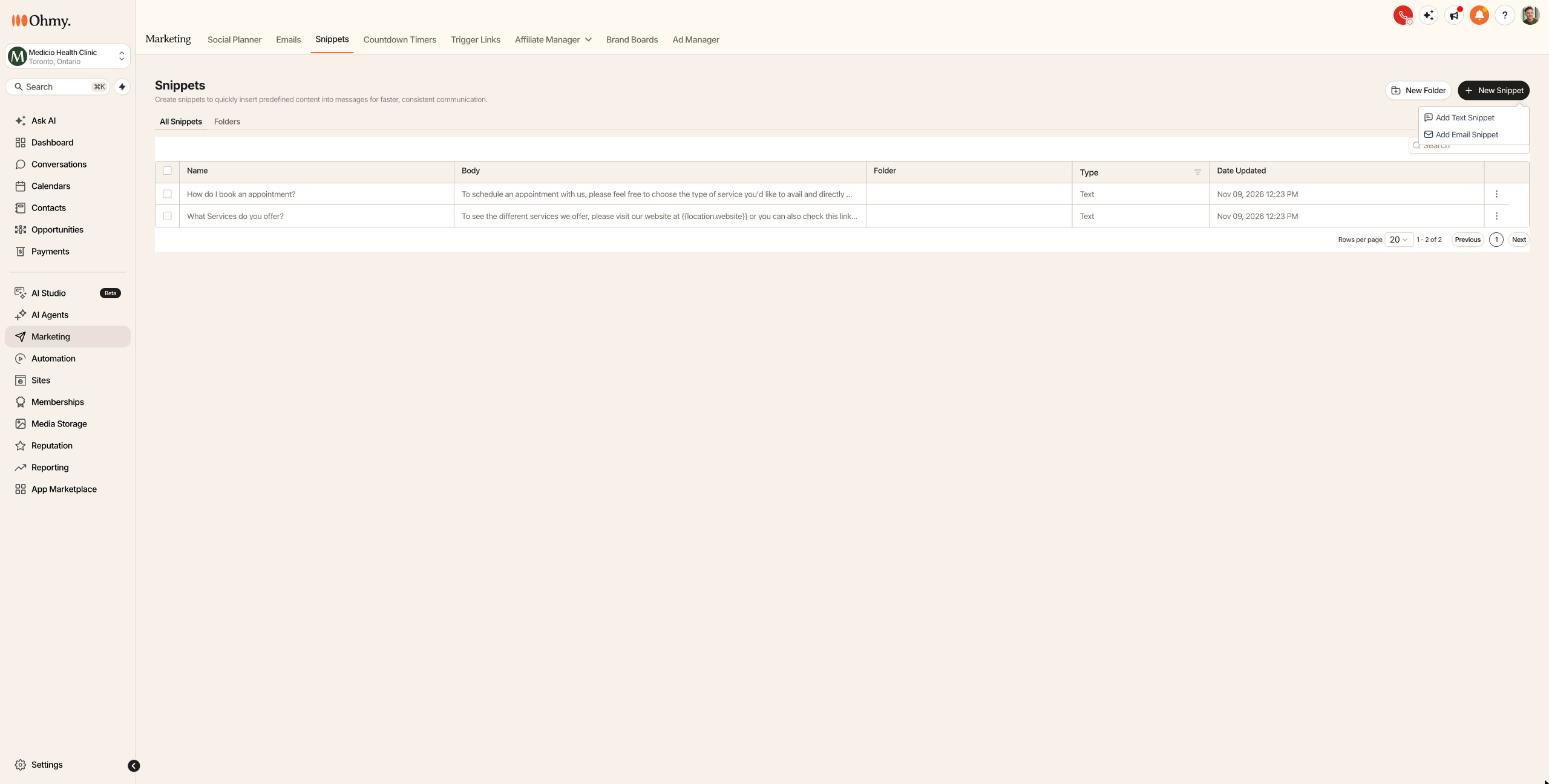
Create a snippet
- Go to Marketing › Snippets.
- Choose New Snippet, then Add Text Snippet (for SMS and chat) or Add Email Snippet (with formatting, links and images).
- Give it a clear name, such as “How to book”, so your team finds it quickly.
- Write the message. Add fields that fill in automatically, such as
{{contact.first_name}},{{location.phone}}or{{location.website}}, so one snippet works for every contact and location. - Save.
Use New Folder to group snippets, for example by service or by team.
Use a snippet
When you write a message in Conversations, open the snippets option in the message box and pick the snippet. It’s inserted with the fields filled in. You can edit the text before you send.
Tips
- Keep text snippets short. Long texts are split into several messages and cost more to send.
- Store links that change, such as your booking page, as a custom value (Settings › Custom Values) and use the field in your snippets. When the link changes, you update it once.
- Don’t put health details in snippets. They’re for general information everyone can receive.
Troubleshooting
- A field shows as text, like {{contact.first_name}}. Check the spelling and the double curly brackets, or insert the field from the field picker instead of typing it.
- A field is blank in the message. That contact or location doesn’t have the value filled in. Add it, or remove the field.
- I can’t find my snippet in Conversations. Text snippets show for SMS and chat; email snippets show when you write an email.
Still stuck? Email hello@meetohmy.com.


