Run a referral or affiliate program in Synapse
Set up a referral, ambassador or affiliate program with Affiliate Manager: tracked links, commissions per sale or per lead, a partner portal and payouts.

Intro
Affiliate Manager runs referral, ambassador and affiliate programs. Each partner gets their own link. When someone they send buys or signs up, Synapse records it and calculates the partner’s commission.
Check the rules first
In healthcare, paying for patient referrals is restricted. In the U.S., federal and state rules limit payments for referring patients, and many professional bodies in the U.S. and Canada have their own rules. Product brands (supplements, devices, wellness products) and B2B companies usually have more room. Check with your compliance lead or lawyer before you launch a program that pays for patient referrals.
Step 1: Connect a payment provider
To track sales and commissions automatically, connect the payment provider you take payments with: Stripe, NMI, Authorize.Net or PayPal.
- Go to Marketing › Affiliate Manager and choose Start Your First Affiliate Campaign.
- Select your provider and choose Connect, then sign in to it.
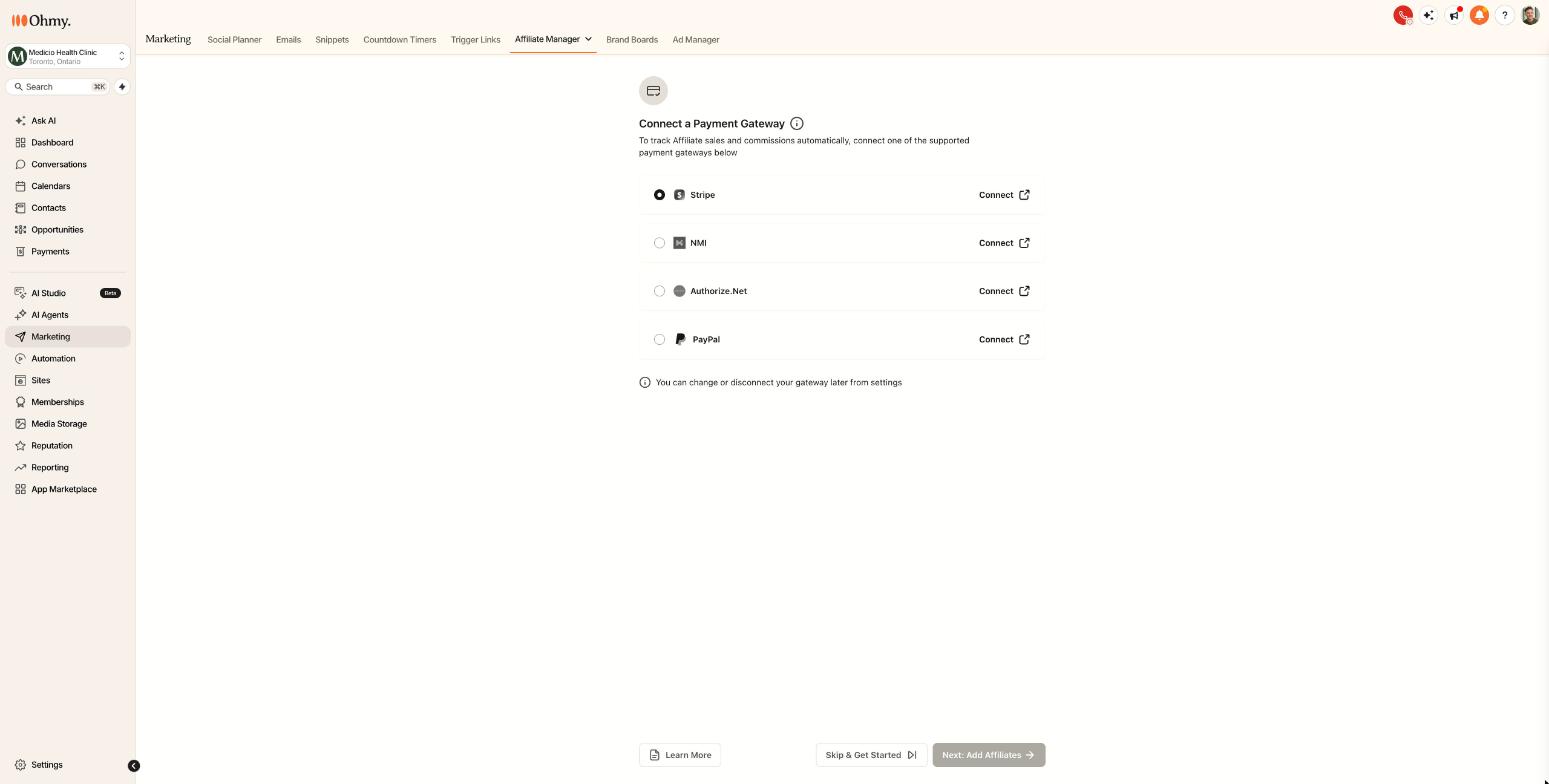
Rewarding leads (form fills or bookings) instead of sales? Choose Skip & Get Started. You can connect a provider later in Affiliate Manager › Settings.
Step 2: Create the campaign
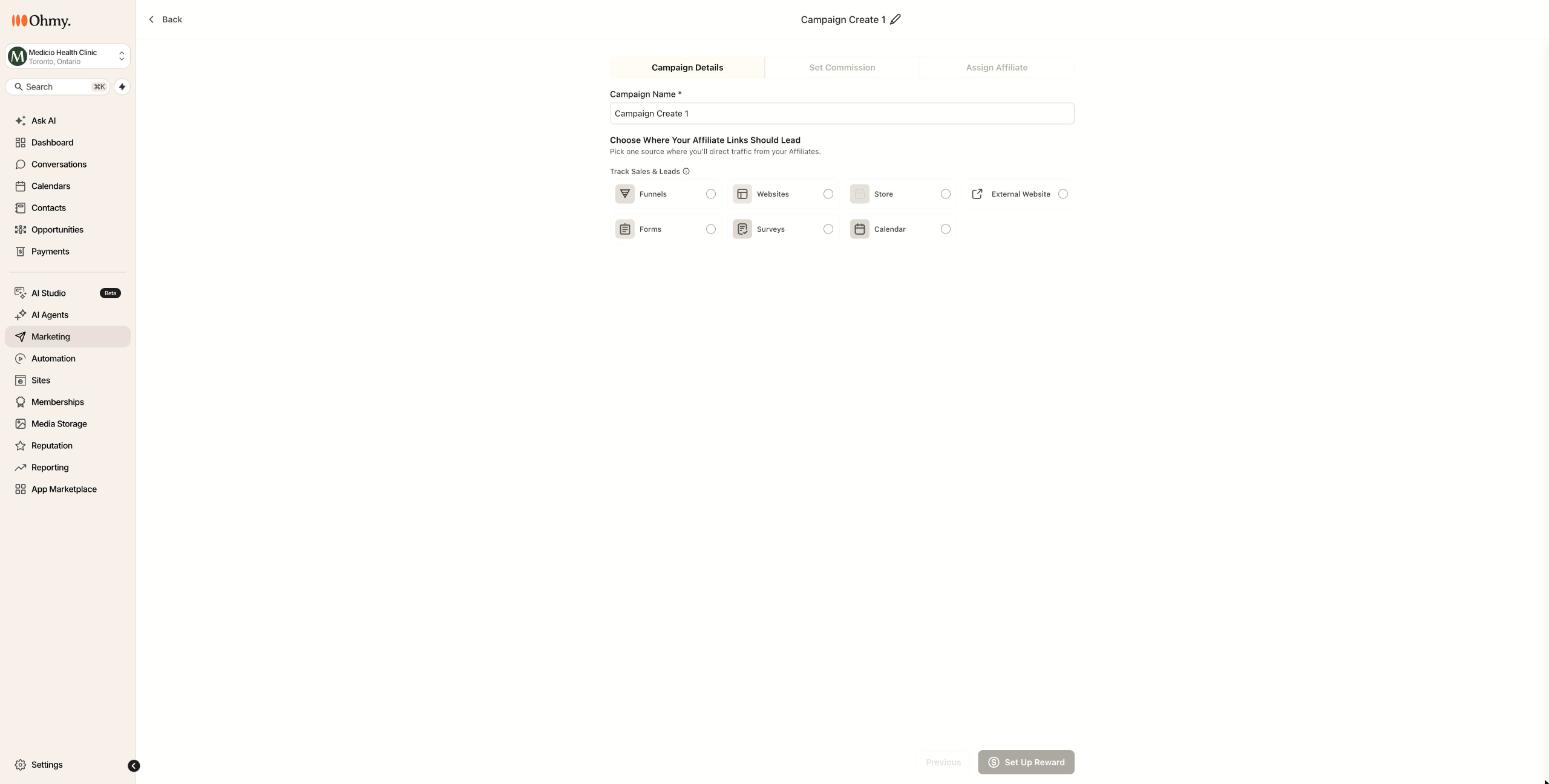
- Open Affiliate Manager › Campaign and choose Add.
- Campaign Details: name the program and choose where partner links lead: Funnels, Websites, Store, External Website, Forms, Surveys or Calendar. Then pick the page, form or calendar.
- Set Commission: choose a percentage or a fixed amount, per sale or per lead, and whether it pays once or on every renewal.
- Assign Affiliate: add the partners who can promote this campaign. You can add more later.
- Publish the campaign.
Step 3: Add and support your partners
- Affiliate: add partners one by one or import a list. Each one gets a unique link and access to a partner portal where they see their clicks, referrals and earnings.
- Media: upload images, copy and banners partners can use, so they promote you the way you want.
- Want people to apply? Make a sign-up form, then use an automation to add new applicants to the campaign after you approve them.
Step 4: Review commissions and pay out
Open Affiliate Manager › Payout to see commissions waiting for review, approved and paid. Approve or deny each one, for example deny a sale that was refunded, then pay your partners and record the payout. Dashboard shows revenue, partners, customers and leads across all campaigns.
Troubleshooting
- A sale wasn’t credited to a partner. The buyer must arrive through the partner’s link and pay through the connected provider on the page you chose in the campaign. Sales made another way, or after the tracking window ends, aren’t credited.
- Leads aren’t tracked. Check that the campaign points to the same form or calendar the partner’s link opens.
- Partners can’t log in to the portal. Check their email address on the Affiliate tab and resend the invite.
Still stuck? Email hello@meetohmy.com.


